 +TF2 Teleporter Mk4 — Promotional picture
What you're getting.
The TF2 Teleporter Mk4 is a love letter to the Engineer's most underrated invention — rebuilt from the ground up in HD mesh and relaunched as a full Mk4 product. What started as one of Vk Labs' earliest creations returns with an entirely new visual, the current generation of teleporter scripting, and all the features the Stargate models introduced: cross-region networking, Experience support, access control lists, and the web Portal.
Under the hood, the TF2 Teleporter shares its codebase with the rest of the Mk4 lineup. That means it's fully intercompatible with the Stargate series — you can link a TF2 pad and an Alteran Transporter on the same network without any fuss. The same Wizard-based setup applies: rez it, name it, assign a network, and it discovers the others automatically.
The Mk4 engine adds gridwide reach via Grid Net (with Experience or RLVa), a web Portal for remote settings and statistics, and the Access Lists system combining Allow Lists and Group Keys with OR logic. Whether you're running a Team Fortress-themed combat sim or just want a well-built teleporter with a game-accurate aesthetic, the Mk4 delivers the full feature set in 15 land impact.
Everything in the box.
HD mesh rebuild
A complete visual remake of the original TF2 teleporter in high-definition mesh. New geometry, new animations, and updated FX — the same recognisable silhouette with significantly improved in-world presentation.
Full Mk4 engine
Runs the identical scripting core as the Stargate Teleporters Mk4 lineup. Every feature introduced in Mk4 — auto-discovery, gridwide networking, Experience mode, Portal, access lists — is present and functional.
Intercompatible with all Vk Labs teleporters
The TF2 Teleporter can share a network with any other Mk4 model, including the Alteran Transporter, Asgard Teleporter, and Stargate ring sets. Mixed-faction networks work without any special configuration.
Cross-region gridwide teleport
Grid Net mode extends your teleporter's visibility across sim boundaries to anywhere on the grid. Requires Experience or RLVa to be active on the teleporter.
Experience & RLVa support
Supports the 'Vk Labs Systems' Experience for seamless avatar teleportation — no relay or seat required once the Experience is added to your land parcel. Classic TP Pad and RLVa modes also available.
Access Lists & Group Keys
Lock access to specific avatars via an Allow List, to group members via Group Key UUIDs, or combine both with OR logic. A user matching either condition is granted access; destinations they can't reach are hidden from their list automatically.
Web Portal
Manage settings and view usage statistics remotely through the Portal web interface. Password resets and quick Portal access are available directly from the in-world settings menu.
Teleport objects script included
Every pack includes the standard Vk Labs object teleportation script, allowing your own scripted objects to travel through the network alongside avatars.
Technical details.
More from the set.
TF2 Teleporter Mk4 — Promotional picture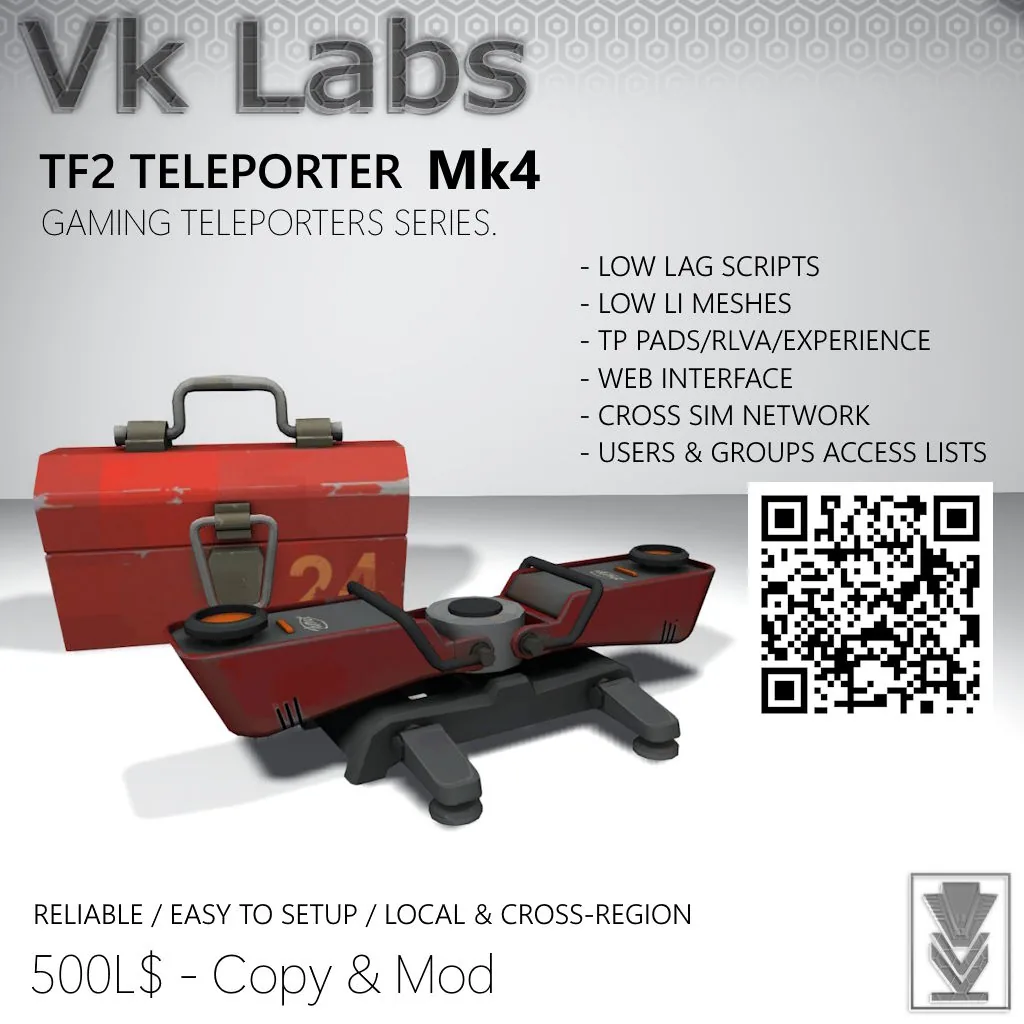 TF2 Teleporter Mk4 — product render
Setup & operation.
// Read the setup once, keep the options open as reference while you configure.
Rez and run the first-use Wizard
Rez your teleporter and follow the Wizard first-setup, which will guide you to set your teleporter's name and network. A network name is like a group of teleporters — only teleporters in the same network will see each other. You can set up multiple networks in the same teleporter by separating the network names with commas.
Repeat for all pads
Repeat this process until you have all your teleporters rezzed where you want them to be. If your teleporters don't show up yet, allow a moment for synchronisation. If one or more are still missing, verify your network names — they must match exactly and are case-sensitive.
Rename or redescribe at any time
You can always change your mind and rename the teleporter or change its description later from the settings menu.
Add the Experience to your land (for Experience mode)
To use Experience mode, right-click your land and select About Land (or open it from World > Parcel Details). Go to the Experiences tab, click Add in the Allowed Experiences section, then search for 'Vk Labs Systems' and select it.
Every release, in order.
- Initial Mk4 release: full rebuild in HD mesh with new animations.
- Powered by the Mk4 teleporter engine — Experience/RLVa support, gridwide networking, web Portal, and Access Lists included.
- Fully intercompatible with all other Vk Labs Mk4 teleporter models.